
Desktop app · Terminal · Zed · AionUi
Claude stays on a secure remote.
Your tools stay on your machine.
Sign in to Claude Code once, on a server you control. cc-remote lets your editor use it over SSH while every file, command and MCP tool runs locally, with your approval.
- Credentials never leave the server
- Local tools, local approval
- Nothing replayed silently
Keep Claude safe, stable and under your control
Scattering one Claude login across laptops, networks and tools makes an account harder to keep safe and predictable. cc-remote does the opposite: one login in one place, while everything your project needs stays local.
Secure remote
- Claude login and credentials
- Claude Code and its model session
- One stable, fixed environment
Your machine
- Project files and edits
- Terminal commands
- MCP tools and Skills
One login, one place
You authenticate Claude once on the server. Credentials are never copied to laptops, desktops or other tools, and cc-remote never reads or stores them.
A steady footprint
Every request comes from the same server, network and Claude Code install, instead of a changing mix of devices, Wi-Fi and VPN exits.
Official Claude Code does the work
Authentication, model calls and the agent loop run in Claude Code itself. cc-remote adds no local harness and does not proxy, pool or resell access.
You approve what touches your machine
File, shell and MCP actions run locally through permission prompts. A skill’s own allow-list is not treated as approval to execute.
No silent replays
Each prompt sends only new input. If SSH drops, the outcome is shown as unknown and you decide what happens next. Nothing is re-run behind your back.
Quota without a model call
Check 5-hour and weekly limits over SSH without sending a prompt. Only percentages, reset times and a one-way account ID are cached locally.
cc-remote reduces account-risk exposure; it cannot promise how Anthropic treats any account. Keep using Claude within Anthropic’s usage policies.
A desktop app for everything around the chat
Set up hosts, watch your usage and keep Skills in sync from one compact window. Native on macOS, Windows and Linux, and your editor keeps working with or without it.
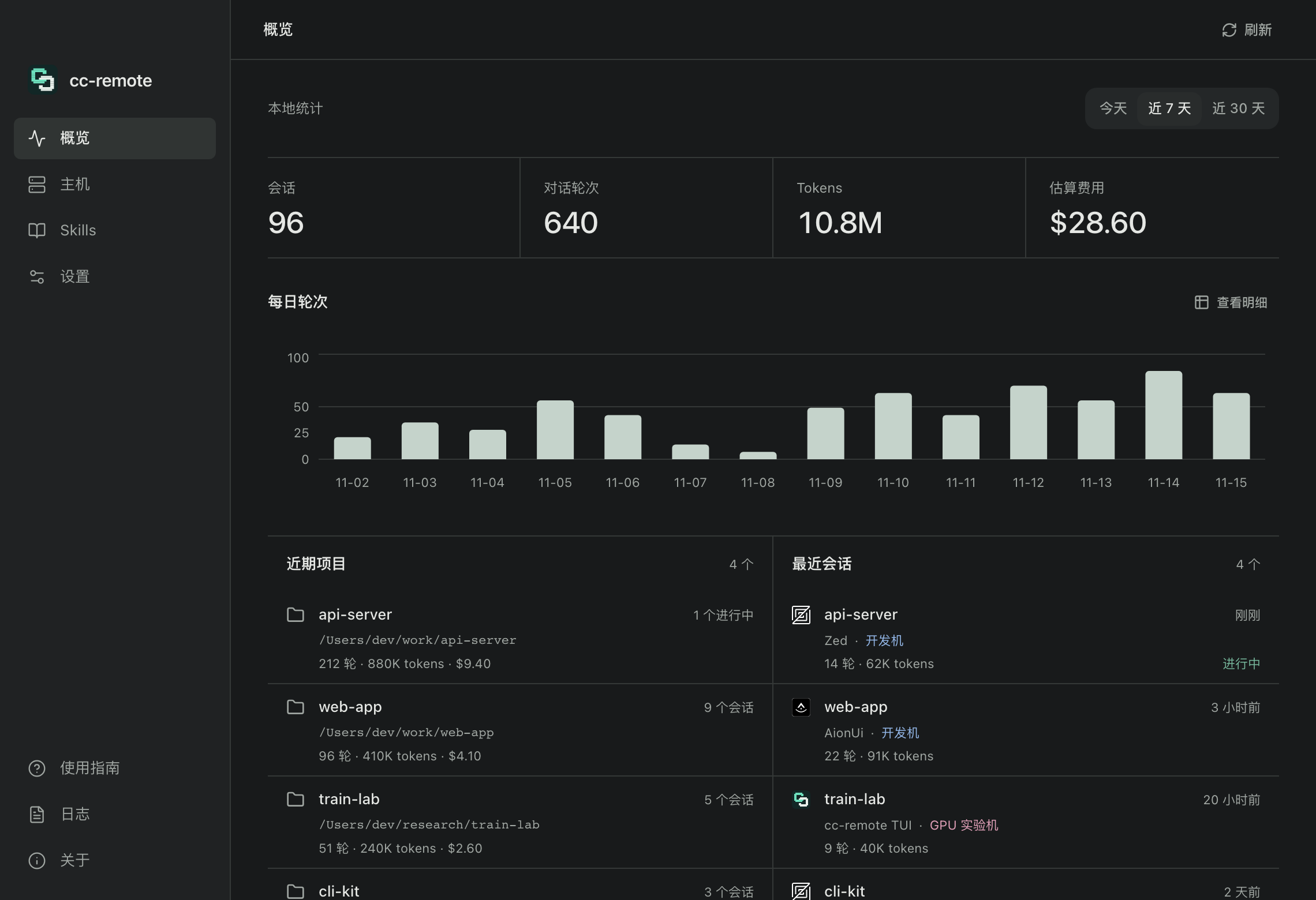
Usage at a glance
Sessions, turns, tokens and estimated cost for today, 7 or 30 days, a daily chart, and the projects and sessions you touched most recently, labelled by client and host.
Native and light
Tauri 2 on the system WebView. No bundled browser.
Tray and autostart
Launch at login, keep running in the tray, start hidden.
Private by default
Statistics stay on your machine; set retention or clear them any time.
Screenshots show the app’s current Chinese interface, with sample data.
One SSH connection. Two clear roles.
The server owns the model session. Your machine owns the development environment. cc-remote is the bridge between them.
Your machine
Editor · files · shell · MCP tools
cc-remote
Local ACP gateway
Remote server
Claude Code · login · model
- 01
Authenticate once, remotely
Claude login, model calls and the agent loop stay on the server where Claude Code is installed.
- 02
Execute locally
Reads, edits, terminal commands and MCP tools run against your local project, with permission prompts you approve.
- 03
Never replayed silently
Each prompt sends only the new input. If the link drops, you reconnect and resume — nothing is re-run behind your back.
Built for a long-running remote agent
Standard ACP
Speaks the Agent Client Protocol over stdio, so any ACP client can launch it. Extensions are optional metadata.
Local tool execution
File, shell and MCP tools run in your workspace through the existing permission handling.
Skills sync
Local skills, legacy commands, custom agents and plugin skills are mirrored to the server and reloaded automatically.
Resilient SSH
Retries with exponential backoff and jitter. Authentication and host-key failures return immediately.
Real status
Connection, tool and permission state come from ACP. A dropped link means unknown — never a fake success.
Account quotas
See each remote account’s 5-hour and weekly limits over SSH, without sending a model request.
Browser chat
Open the same chat UI in a browser. It listens on localhost by default; LAN access is an explicit setting.
Terminal chat
An Ink TUI with a slash-command menu, session resume, image paste and CJK-aware cursor placement.
Use the client you already like
Zed and AionUi launch cc-remote as a custom ACP agent. Prefer the terminal? The TUI ships in the same binary.
Run from your local project directory. /resume picks a previous session.
cc-relay --host devbox tuiFour steps to your first session
Replace devbox with a hostname, user@host or an alias from your SSH config.
- 01
Build and install
Needs Bun and an SSH client locally.
shbun install && bun install --cwd app bun run compile bun link - 02
Pick a host and check it
Accept the host key and set up key authentication with a normal ssh first.
shssh devbox claude --version mkdir -p ~/.config/cc-relay echo devbox > ~/.config/cc-relay/host cc-relay doctor - 03
Sign in to Claude on the server
Credentials stay on the server.
shcc-relay --cli auth login - 04
Start chatting
Connect from the terminal, or point Zed or AionUi at the same command.
shcc-relay --host devbox tui
Server: Claude Code 2.1.248 or later, a POSIX login shell and an authenticated Claude installation. Automatic Skills sync also needs Python 3 on the server.